People analysis
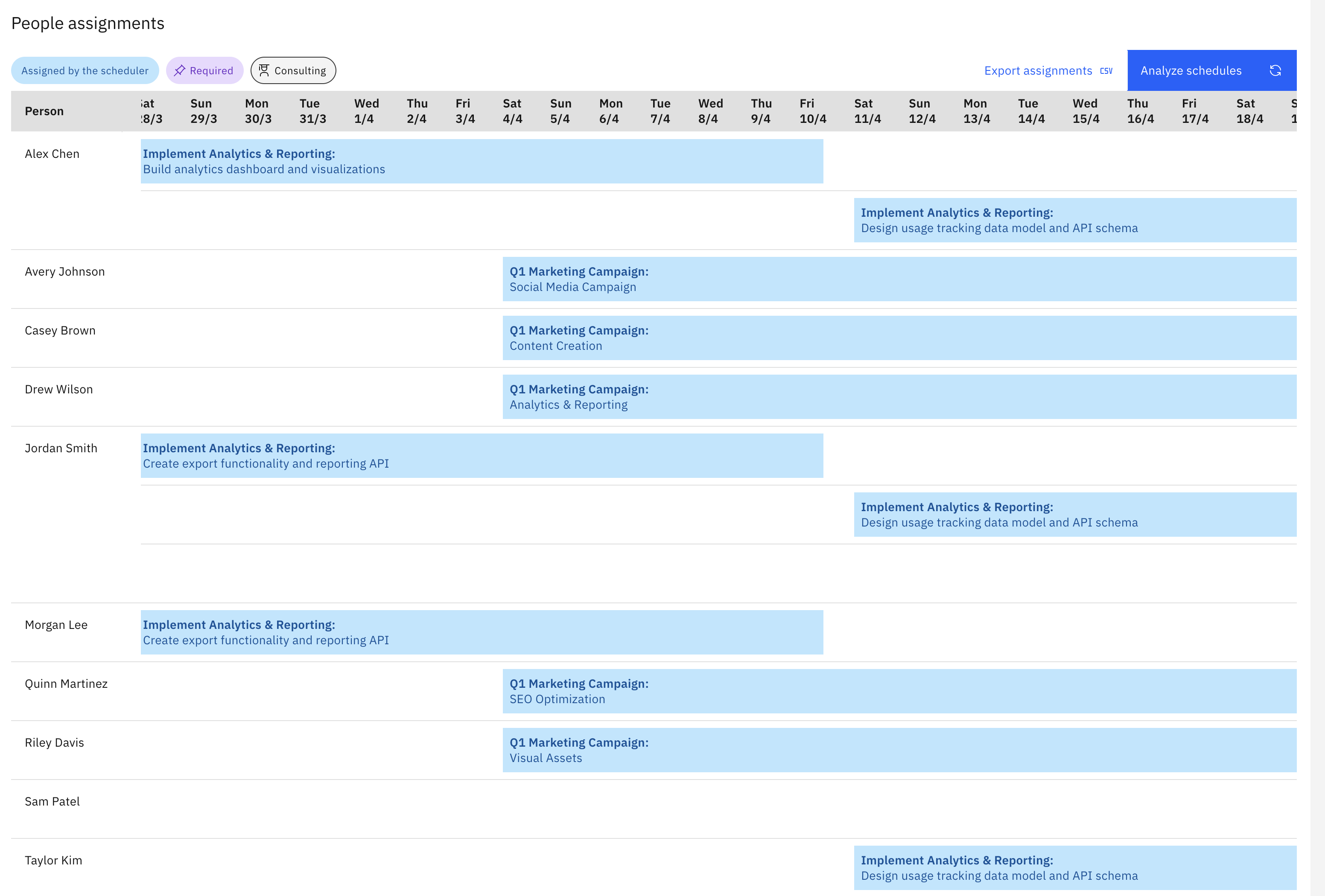
The Resources → People analysis screen provides an overview of people assignments across all selected plans in a single, normalised calendar view. This can help identify resource over- and under- utilisation.
Select each plan’s scenario
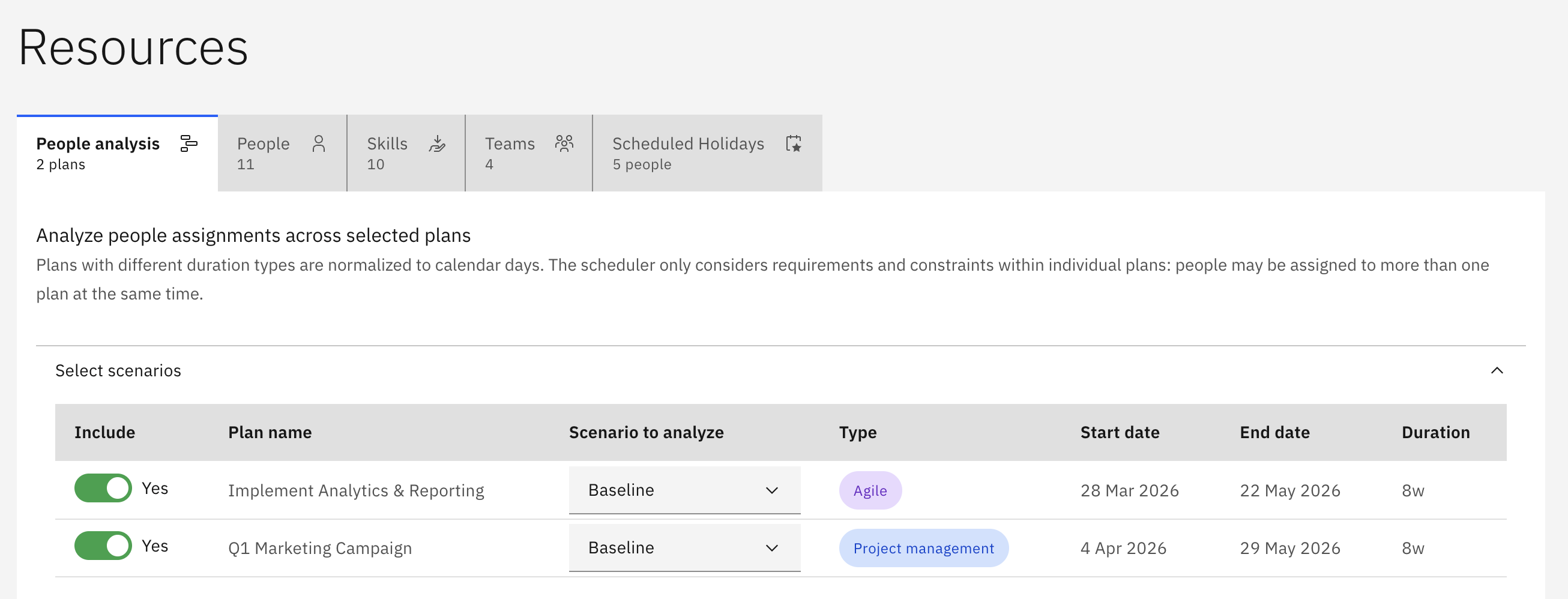
Section titled “Select each plan’s scenario”Open the Resources → People analysis tab. Expand the Select scenarios section at the top of the screen. For each plan confirm whether it should be included in the analysis, and if so the scenario to model:
Run the scheduler across all plans
Section titled “Run the scheduler across all plans”Click Analyze schedules to run the scheduler across all selected plan scenarios.
This may take some time to complete depending on the number of plans selected and the complexity of the scenarios. The progress bar will show how many plans have been analysed as the scheduler works.
View consolidated people assignments
Section titled “View consolidated people assignments”Plans with different duration types are normalized to calendar days in this screen, regardless of their plan time period formats:
Analyse different scenarios
Section titled “Analyse different scenarios”Select different scenarios for the plans in the Select scenarios section. This will clear any generated schedules. Click Analyze schedules to run the scheduler with the new selections.
Scheduling issues
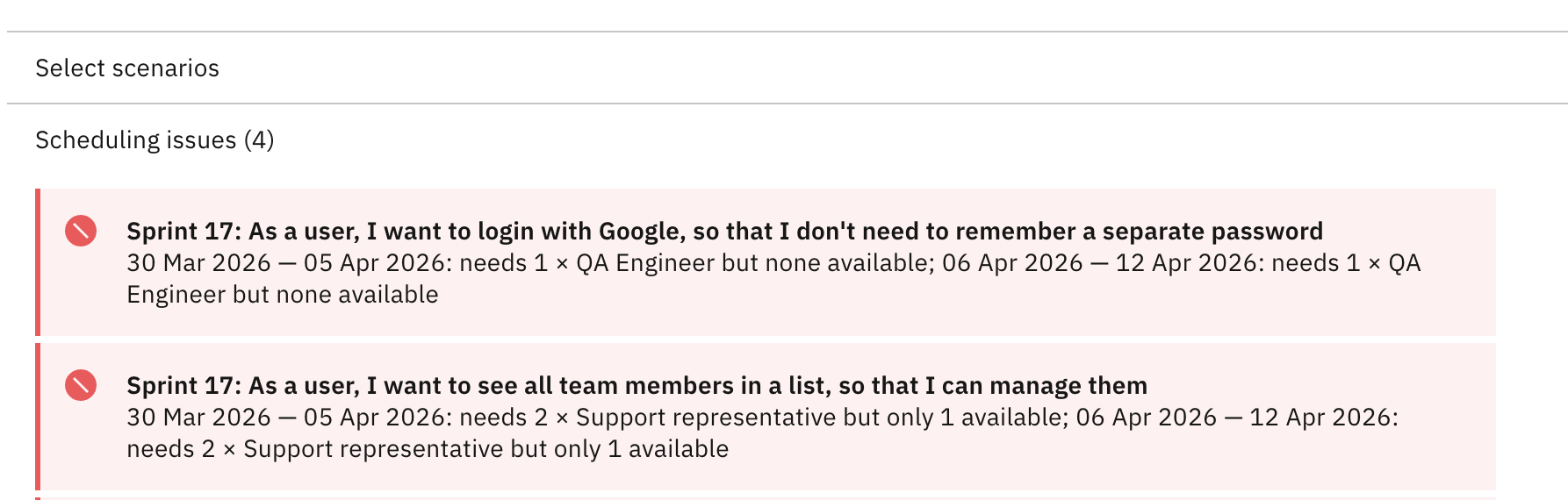
Section titled “Scheduling issues”Expand the Scheduling issues section to view a consolidated list of any scheduling errors or warnings:
Export the analysis
Section titled “Export the analysis”Click the Export assignments button to download the current analysis results as a Comma-Separated Value (.csv) file. Where a person is assigned to more than one work stream on the same day, that information is combined in the same CSV cell.