Generate a schedule
Once your people, skills, and projects are defined in Resources and a plan is configured, its time to generate the plan’s schedule.
Build the schedule
Section titled “Build the schedule”Open the plan, review its work streams and their requirements, and when ready click the Build the schedule button.
The request to schedule the plan is processed. Depending on the complexity of the plan and other activity, it may take a minute to complete the analysis and generate an optimal schedule:
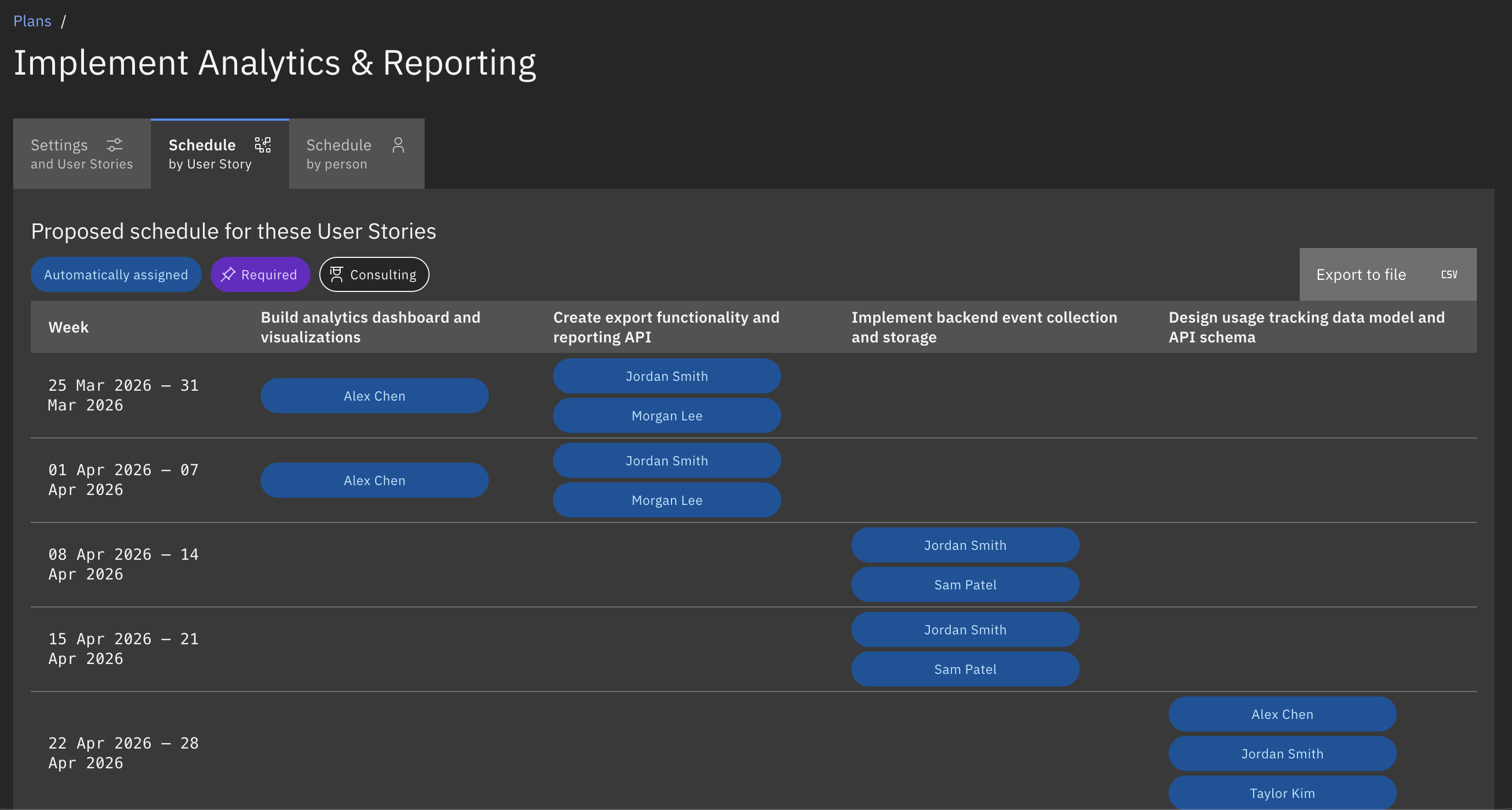
Schedule by work stream
Section titled “Schedule by work stream”When scheduling is complete, the Schedule by [work stream] tab (e.g. Schedule by User story or Schedule by Project) is displayed.
This shows how people are allocated to each work stream, by the date or time interval from the plan settings:
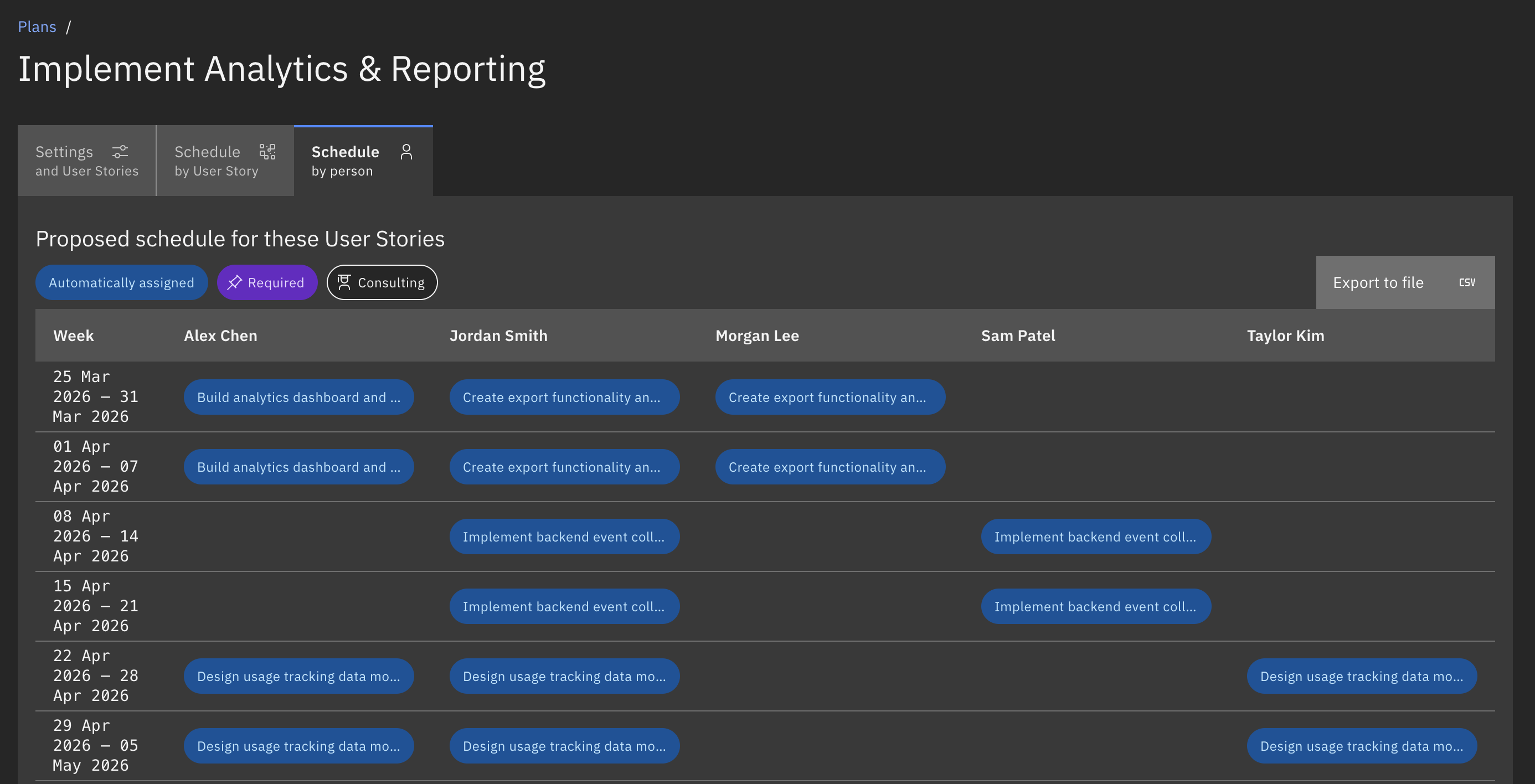
Schedule by person
Section titled “Schedule by person”To view how projects are allocated to people by the date or time interval, switch to the Schedule by person tab:
How it works
Section titled “How it works”Workable tries to create the best possible plan for the time window and people available in your organization.
It looks across the whole plan, tries to satisfy the most important work first, and balances work stream requirements, people capability, timing, and availability.
The scheduler looks for combinations that satisfy the plan’s constraints. This means the scheduler is not filling work streams one by one from top to bottom. It evaluates the plan as a whole: one decision can affect the feasibility of many others.
Scheduling issues
Section titled “Scheduling issues”If the scheduler is unable to generate an optimal schedule for all work streams in a plan, it will list the reasons:
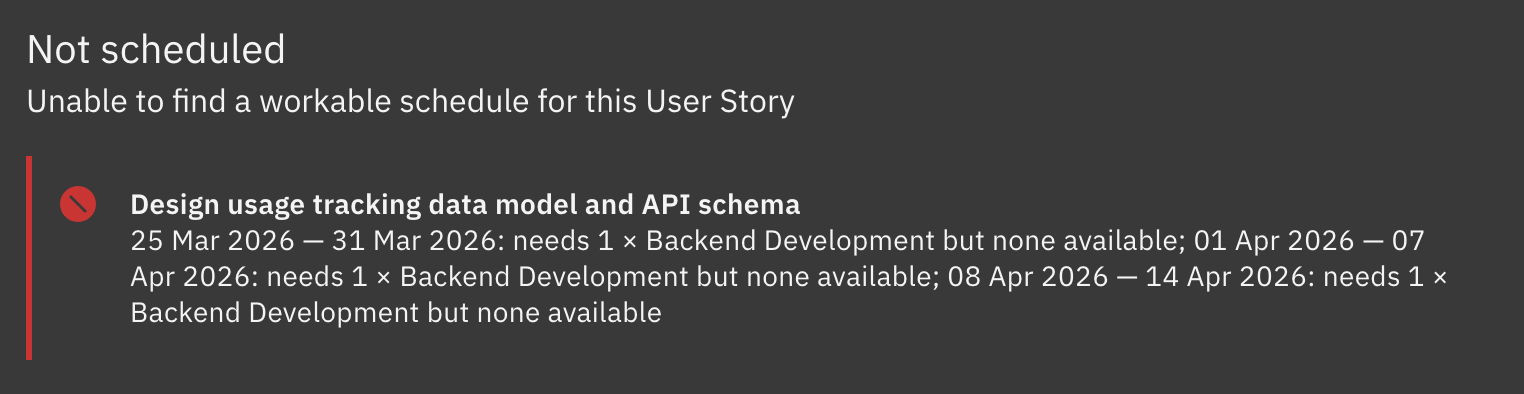
For information about possible validation and scheduling issues, see Troubleshooting schedules.
Export the schedule
Section titled “Export the schedule”Export the generated schedules to Comma-Separated Value (.csv) file by clicking the Export to file button: